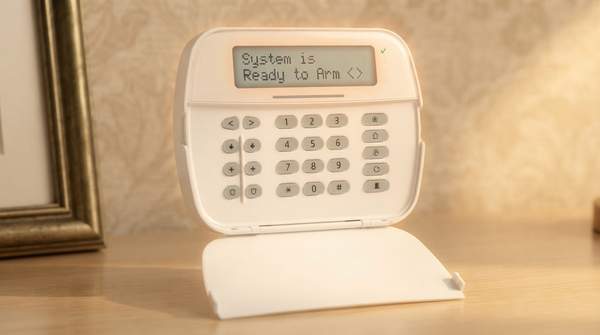
There is no single best home security system—there is only the best fit for your home, budget, and appetite for involvement. The decision comes down to two independent choices: how the system connects (wired, wireless, or a hybrid of both) and who responds when an alarm sounds (a professional monitoring center or you). A renter in a small apartment, a homeowner in a large house, and someone who travels constantly will land on very different answers, and the framework below shows how each combination of trade-offs maps to those situations.
Understanding Home Security System Basics
Consumer Reports, which publishes one of the most widely used buying guides on the subject, frames the challenge well: the sheer range of kits, components, sensors, and accessories makes comparison shopping genuinely difficult, and the biggest long-term cost question is whether to commit to professional monitoring or monitor the system yourself. Those two decisions—connectivity and monitoring—shape almost everything else, from installation cost to what happens at 3 a.m. when a door sensor trips.
On the connectivity side, a wired system runs cables through walls and ceilings to connect sensors to a control panel, while a wireless system relies on battery-powered sensors that communicate without wiring. A hybrid keeps existing wired infrastructure and layers wireless capabilities on top. Separately, every system must answer the monitoring question: a professionally monitored system connects to a central station that watches around the clock, while a self-monitored system sends alerts straight to your phone and leaves the response entirely in your hands. Storage for video footage follows a similar fork—local recorders such as DVRs and NVRs versus cloud plans that typically carry monthly fees for extended video history, as the security installer Security by APS explains.
Wired, Wireless, and Hybrid Systems: A Connectivity Comparison
Wired systems demand the most upfront commitment. They require professional installation, which is usually an extra charge beyond equipment and monitoring, and installers typically need to cut into walls to access wires—something that may not be possible if you rent, as SafeWise's Cathy Habas notes. The payoff is a robust, permanent setup: for large commercial properties, wired or hybrid systems retain the edge for their range, tamper resistance, and zero-maintenance operation over large zones, according to Dehart Alarm Systems. Wired systems also avoid battery-related failures, though most shut down during a power outage unless backed by batteries, and cellular backup often costs extra.
Wireless systems flip those trade-offs. Because no wiring is required, they are usually less expensive, faster, and simpler to install, and you can move sensors as much as you wish provided they stay within range of the control panel, as Alarm Detection Systems describes. Dehart Alarm Systems argues the technology has matured to the point where reliability is no longer a significant concern, and wireless systems integrate seamlessly with smart home devices—letting you arm or disarm with a voice command or trigger cameras and lights based on alerts, as Wirecutter's Rachel Cericola details. The maintenance burden shifts rather than disappears: wireless sensors run on batteries that need periodic replacement or recharging, though some offer long-lasting batteries that need changing only every few years, and they tend to be more reliable during power outages, according to Vector Security.
Hybrid systems combine wired intrusion detection with wireless cameras or access control. Security by APS highlights their appeal: wired cameras provide stable video quality while wireless cameras offer easy repositioning, and dual local-and-cloud storage can prevent footage loss. The costs are a more complex setup and a higher initial investment as components multiply—and a local recorder can still be stolen or damaged, taking footage with it, if it isn't paired with cloud backup.
Professional vs. Self-Monitoring: Who Responds to Your Alarm?
The monitoring choice determines what actually happens when an alarm triggers. With a professionally monitored system, a support representative at the monitoring company receives a notification and then attempts to contact you and, if need be, your local emergency services, as Wirecutter explains. That 24/7 coverage and rapid emergency dispatch is why an expert guide from Bluefield Group recommends it for full-time security and for families who want comprehensive protection. Consumer Reports identifies this as a big factor in both the purchase and the long-term cost of the system, since the service typically runs $20 to $60 per month, and contracts can lock in fees while reducing up-front equipment costs.
A self-monitored system, by contrast, leaves all the work up to you. You receive instant alerts on your phone and must judge the situation, decide whether it's real, and call for help yourself—which means slow response if you're asleep, in a meeting, on a flight, or simply away from your phone. The compensation is low ongoing cost and full control, which is why Bluefield Group's comparison maps self-monitored systems to hands-on homeowners. The honest trade-off is that self-monitoring is only as reliable as your availability; professional monitoring exists precisely for the moments you cannot watch.
Home Security System Decision Framework
The matrix below classifies each configuration along the decision dimensions that matter most—installation, reliability, monitoring, and ideal user profile—so you can locate your own situation at a glance.
| Configuration | Installation | Reliability & Maintenance | Monitoring Fit | Best For |
|---|---|---|---|---|
| Wired | Professional installation required, usually an extra charge; walls may need cutting, so often not feasible for renters | Tamper resistance and range advantages; shuts down in power outages unless backed by batteries, and cellular backup often costs extra | Works with either; professional monitoring suits the permanent, high-security intent | Large or high-security homes and commercial properties seeking a robust, permanent setup over large zones |
| Wireless | Less expensive, faster, and simpler—no wiring; sensors can be moved within range of the control panel | Modern reliability is no longer a significant concern per Dehart Alarm Systems; battery upkeep required, but more reliable during power outages | Either; pairs naturally with self-monitoring via phone alerts and remote control | Renters, small homes, and tech-savvy homeowners who want easy installation, remote alerts, and smart home integration |
| Hybrid | More complex setup—both wired and wireless elements must be configured correctly | Wired stability plus wireless flexibility; dual local and cloud storage can prevent footage loss, though a stolen recorder without cloud backup still risks losing footage | Either; suits those keeping existing wired infrastructure while adding smart upgrades | Older homes with existing wiring, commercial buildings, and large properties with mixed wiring feasibility |
| Professional monitoring (add-on) | Requires system connected to a central station | 24/7 human watch; representative attempts to contact you and dispatches emergency services when needed | Typically $20–$60 per month; contracts may lock in fees but reduce up-front equipment costs | Anyone who travels, sleeps, or simply cannot watch their phone constantly |
| Self-monitoring (add-on) | No central station; alerts go to your phone | Instant alerts, low cost—but response depends entirely on your availability | Minimal ongoing fees | Hands-on homeowners comfortable judging alerts and calling for help themselves |
Reading the matrix is a matter of matching your constraints to the cells. If you rent, the wired row's installation column eliminates it, pointing you to wireless. If you own a large property, the range and tamper-resistance advantages point back toward wired or hybrid. If your budget cannot absorb $20 to $60 every month, self-monitoring is the viable path—but only if you accept the availability trade-off. Dehart Alarm Systems adds a useful caution that cuts across every row: what matters more than wired versus wireless is who installs and monitors the system, since a poorly installed wireless system is worse than a well-installed wired one, and vice versa.
Making Your Informed Security Choice
Homeowners should choose a security system by evaluating their property type, budget, desired level of involvement, and specific security priorities against the trade-offs of wired, wireless, and hybrid connectivity and professional versus self-monitoring. A typical renter lands on wireless with self-monitoring for its low cost and portability; a frequent traveler with a large home lands on wired or hybrid with professional monitoring for its 24/7 dispatch; an owner of an older wired home often lands on a hybrid that preserves existing infrastructure while adding smart features.
You have succeeded with this framework when you have identified a preferred system type—say, wireless with self-monitoring—and can state its associated installation demands, monthly cost, and emergency-response implications in one sentence. If you cannot yet name who would respond to your alarm and how much that response costs per month, that is the next decision to make before comparing any specific equipment.
Sources
- How to Pick a Home Security System - Consumer Reports
- A Guide to Home Video Security Systems | Security By APS — Alarm Protection Services (Security by APS)
- Are Wired or Wireless Home Security Systems Better? — SafeWise
- 5 Types of Home Alarm Systems — Adsalarm
- These Security Systems Can Watch Your Home When You Can’t. — Wirecutter: Reviews for the Real World
- Wired vs. Wireless Security Systems: Understanding the Difference — Vectorsecurity
- Bluefieldgroup
- Wired vs. Wireless Security Systems: Which Is Right for You? (2026 Guide) — Dehartsystems